Typing Pal’s annual update rolled out on July 2, 2026 (read Druide informatique’s press release) in anticipation of the next school year. This year’s improvements double the content of the training programs by offering all activities in both English and French. There is also a new section of poetic training texts, a new provisioning option and enhanced management security. Read on to learn more about the most notable improvements made to Typing Pal’s School Edition and the ways you and your students can benefit.
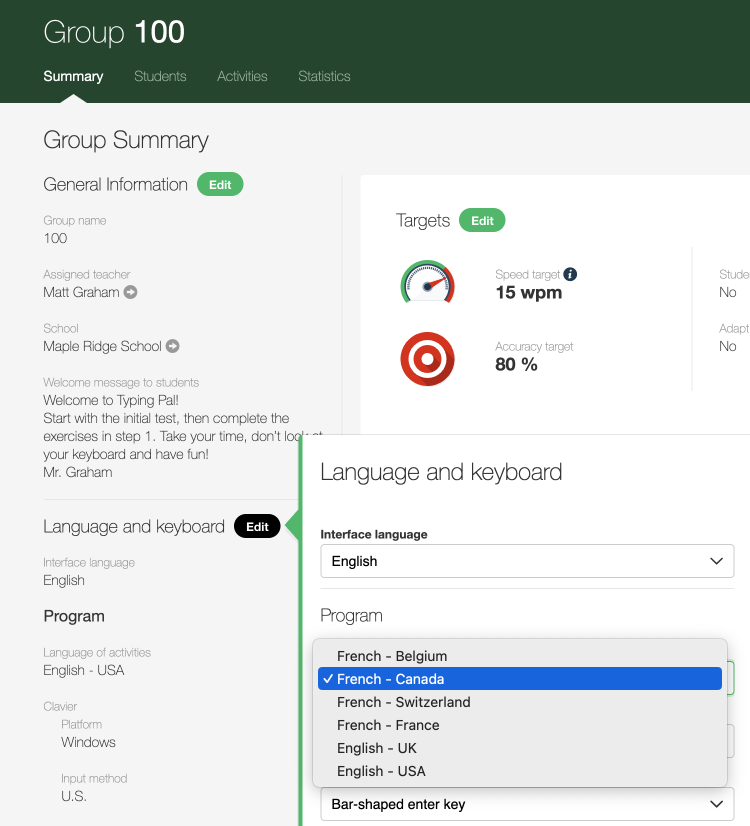
Changing the language of activities in the Group Summary
1
2
3
Twice the Content With Added French
Your Typing Pal subscription is now bilingual, at no extra cost. All exercises, texts, Word Waves and games are available in both English and French. Open the playing field by letting students practice their typing skills in a second language class, for example.
To change the language of activities, go to the Group Summary (1). In the Language and keyboard section (2), click the Edit button, then select the language of your choice from the drop-down menu.
It is also possible to change the language of the interface and the keyboard input method there.
Nursery Rhymes and Poetry Training Texts
Typing Pal’s activities add a poetic note! This new section of training texts in the Move on tab features a few classics. The selected excerpts were adapted with care for the three age groups.
The collection of easy texts, usually aimed at students aged 6 to 11, includes some popular nursery rhymes. With the intermediate and difficult texts, older students will discover an assortment of poems, including works by Shakespeare and Emily Dickinson.
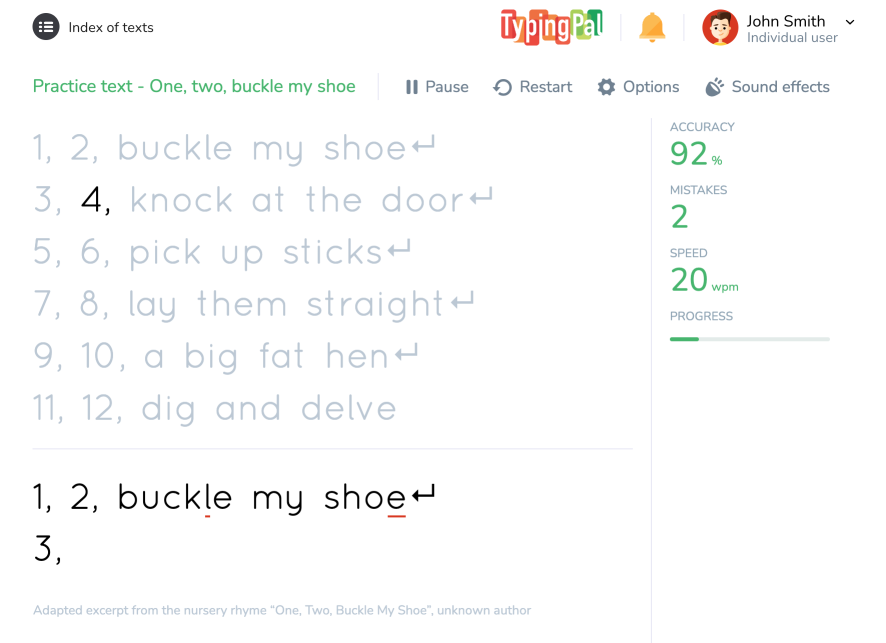
Example of an easy Poetry and Nursery Rhymes training text
Notification for Limited Edition Badges
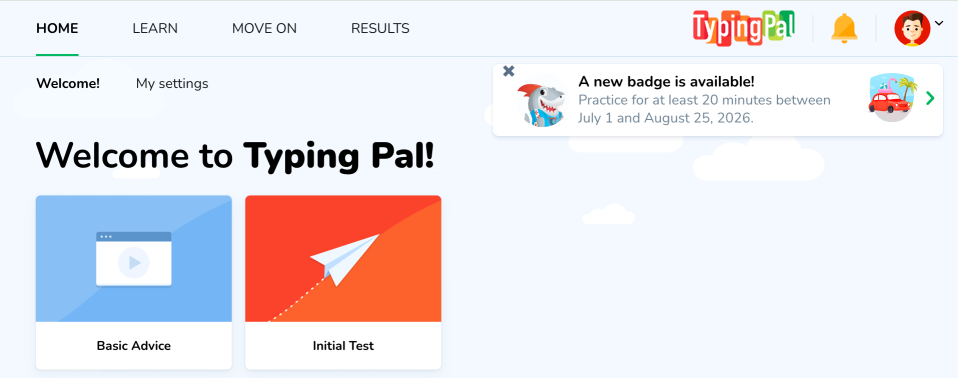
You’re already familiar with limited edition badges, which offer themed challenges at different times throughout the year, such as back-to-school season and Halloween. Now, each time one of these badges is available, a notification pops up on Typing Pal’s homepage. These alerts specify the conditions for obtaining them, inviting your students to earn the latest reward.
New limited edition badge notification on the homepage
Multi-Factor Authentication
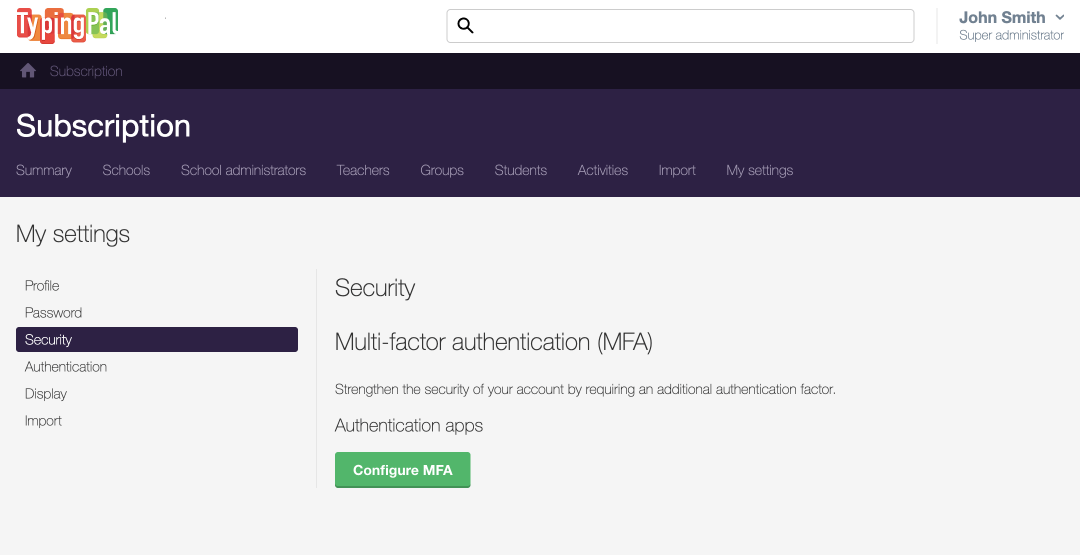
In keeping with the most widely recognized standards for safeguarding personal information, we’ve added multi-factor authentication (MFA) to the management interface. This extra verification step when logging in with a teacher, administrator or super administrator account enhances security. If you have one of these accounts, you must configure MFA yourself. By doing so, you protect not only your data but your students’ as well.
First, install the external authentication app of your choice. (There are many on the market. Your institution might already have one. Ask your IT department.) Then, go to the My settings tab in the management interface (1). In the Security section (2), click the Configure MFA button (3) and follow the steps.
![Configuring MFA in My settings in the management interface]
1
2
3
If needed, check out the user guide to learn more about how to set up MFA and then log in to your account.
Provisioning With Microsoft Entra ID
After introducing provisioning with ClassLink last year, Typing Pal now also offers it with Microsoft Entra ID to simplify account and access management. These services automatically synchronize a school’s user accounts with Typing Pal. You no longer need to add or remove accounts manually or by importing lists. Your institution’s IT department will configure provisioning for you.
We’d like to extend a big thank you to everyone who provided feedback and ideas for 2026. Feel free to write to us with comments on these new features and suggestions for the next round of improvements.